
Logiciel libre de géométrie, d'analyse et de simulation multiplateforme par Yves Biton
The 7.6 version of MathGraph32 brings up the following improvement :
In the protocol dialog box, it is now possible to reclass an object before or after another object.
For this, you have to select simultanuously the two objects(Ctrl + Click to select the second object) comme ci-dessous :
The clic :
 to reclass the first object after the second one.
 to reclass the second objet before the first one.
It may happen that the reclassment may be refused for the figure to remain coherent.
Here is an example.
In the figure was created a frame (system of axes) (without scale) then a point A of coordinates (2 ;3) in this frame along with two free points then a circle with center the first free point and going through the second point.
We activate the protocol tool of the upper toolbar (icon  ) then we select the frame and the circle like underneath :
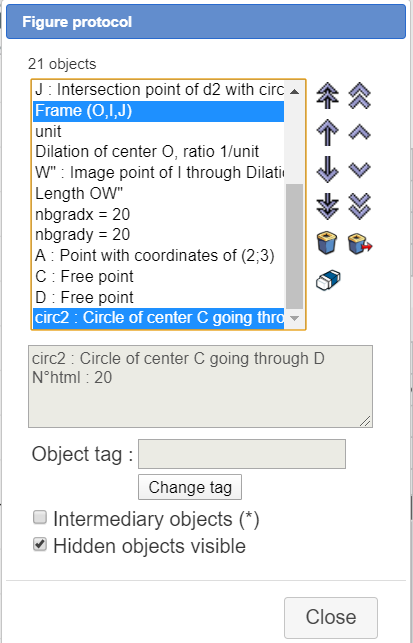
Then we click on icon to reclass the second object (the circle) (le cercle) before the first one (the frame).
Here is the new order of the objects :
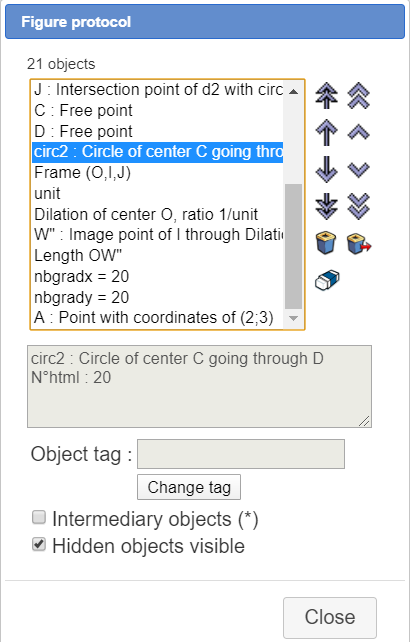
You can see that the two free points uses to create the circle have been moved for the figure to remain coherent.
Download on : this page
Use mathgraph32 online on : this page.
 Accueil
 Présentation
 FAQ
FAQ Contact
 flux RSS